


1. Start with your miss
Tell TrueSwing what goes wrong: a slice, a fat chip, a pushed putt. Film a swing or pick it from the library, and see the likely cause and the drills that work on it.

TrueSwing is the practice plan for golfers who improve their practice. It tells you what to do, when to do it, and how to do it. No guessing. No wasted time.
14 days free · Available for iPhone
Built by Oskar, a developer who has played golf for over 10 years.
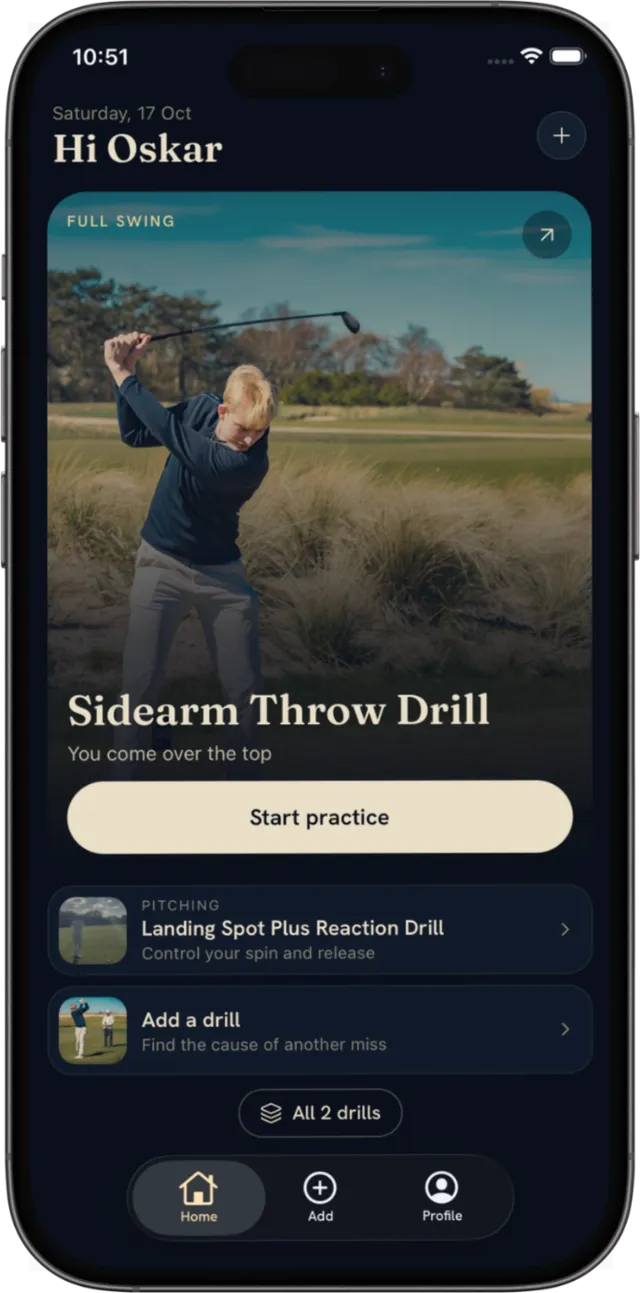
“My coach gave me one thing to work on. Now it’s a week of range sessions with no plan: a few drills I half remember, no record of what I did, and no idea what to do next.”
Get drill recommendations that keep adapting to your practice.
How it works
Tell TrueSwing what goes wrong: a slice, a fat chip, a pushed putt. Film a swing or pick it from the library, and see the likely cause and the drills that work on it.

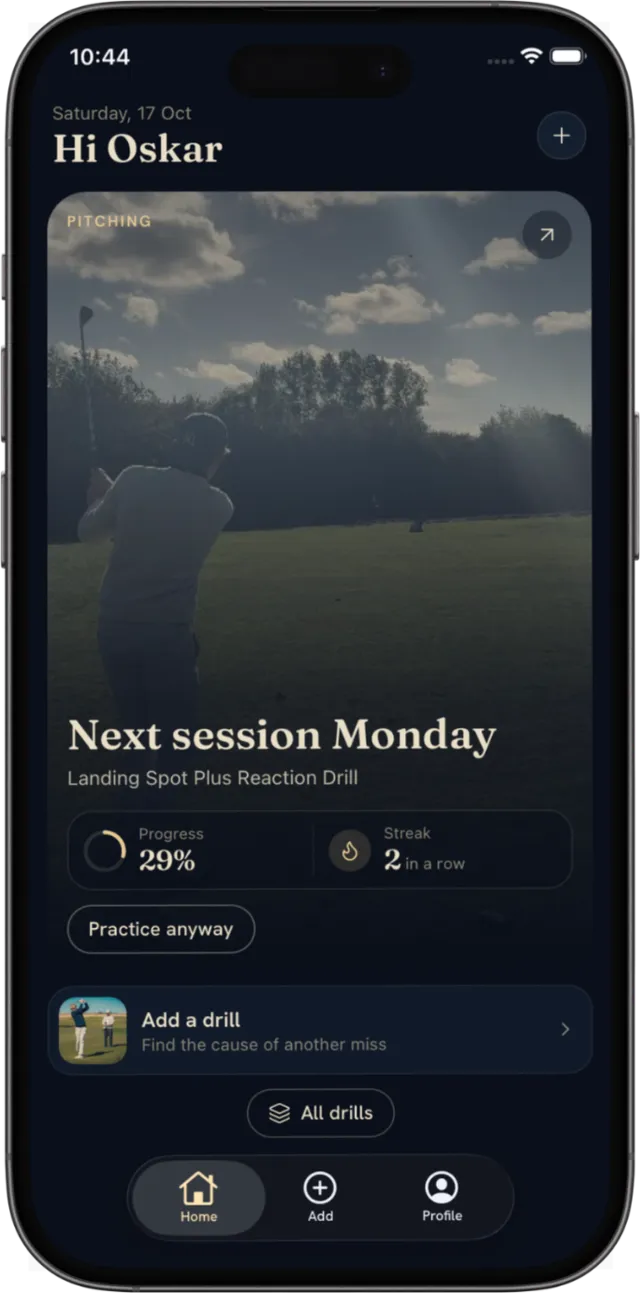
Log how each session felt. TrueSwing spaces your next session around it, so you come back to a drill before it slips, and home always shows what's next.

After a couple of weeks, film the same swing again. TrueSwing checks whether the cause is still there, and when it's gone you move on to the next one.
It shows you what to practise next. You pick the miss you see, TrueSwing finds the likely cause and gives you a drill for it, then schedules each session based on how the last one felt. It covers the whole game: full swing, chipping, pitching, bunker and putting.
Most golf apps hand you a list of drills and leave the rest to you. TrueSwing tells you which drill to do today and when to come back to it, so your practice builds on itself instead of starting over every time you go to the range.
No. Start from what you see, like a slice or thin chips, and TrueSwing works back to the likely cause. Film a swing for a closer look, or pick the cause from the library if you already know it.
Your streak and progress show the sessions you've actually done. After a couple of weeks, you film the same swing again and TrueSwing checks whether the cause is still there. When it's gone, you move on to the next one.
One drill, one focus. A session is small enough to do on a weekday evening, not a full bucket of mixed practice. You log how it felt, and TrueSwing plans the next one from there.
TrueSwing is free for 14 days, then a monthly or annual subscription through the App Store. You can cancel any time in your App Store settings.
A short clip of a single swing, filmed on your phone, vertical or horizontal. Common formats like MP4 and MOV work. You don't need a launch monitor or any special setup.
Your videos and account data are encrypted and never shared without your consent.
Email team@trueswing.se and a real person will answer. There's also a Discord where you can ask questions and see what other golfers are working on.